 Noks
Statements arrive on their own
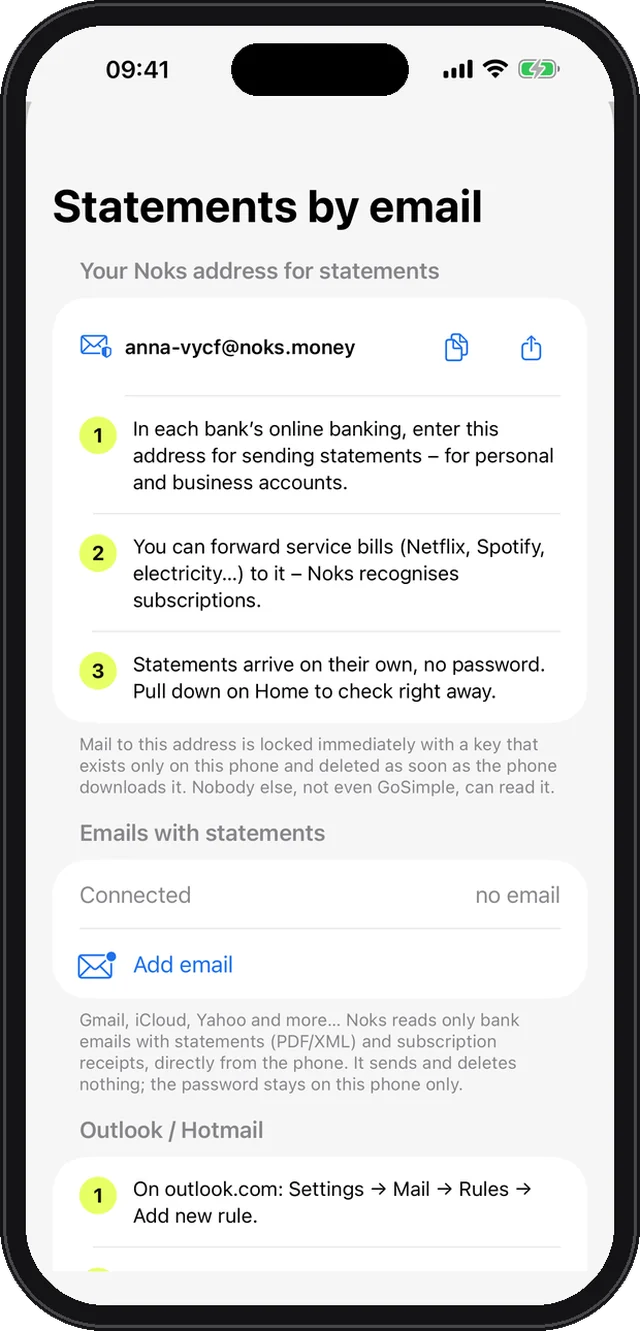
Put your [email protected] into online banking. Mail is locked with a key that exists only on your phone.
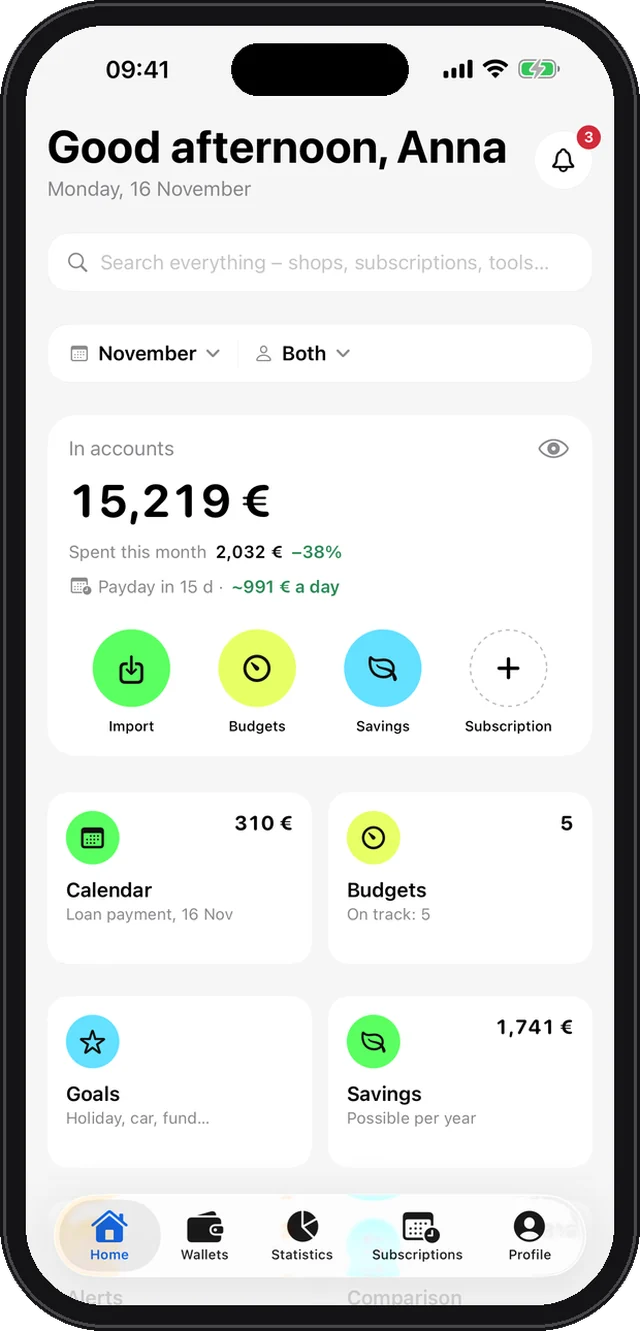
Statements from every bank, personal and business, sorted on their own. See who spends how much, where and on what – no spreadsheets, and your finances never leave your phone.
Works with statements from your bank
Revolut, N26, Wise, ING, Santander, BNP Paribas, Deutsche Bank, Sparkasse, Erste, Raiffeisen, UniCredit, Intesa Sanpaolo, OTP, Addiko, NLB, HSBC, Barclays, Monzo, BBVA, CaixaBank, Société Générale, Chase, Bank of America, ProCredit PDF and XML from Banca Intesa, Raiffeisen, UniCredit and Addiko are read automatically; from any other bank, an Excel or CSV export.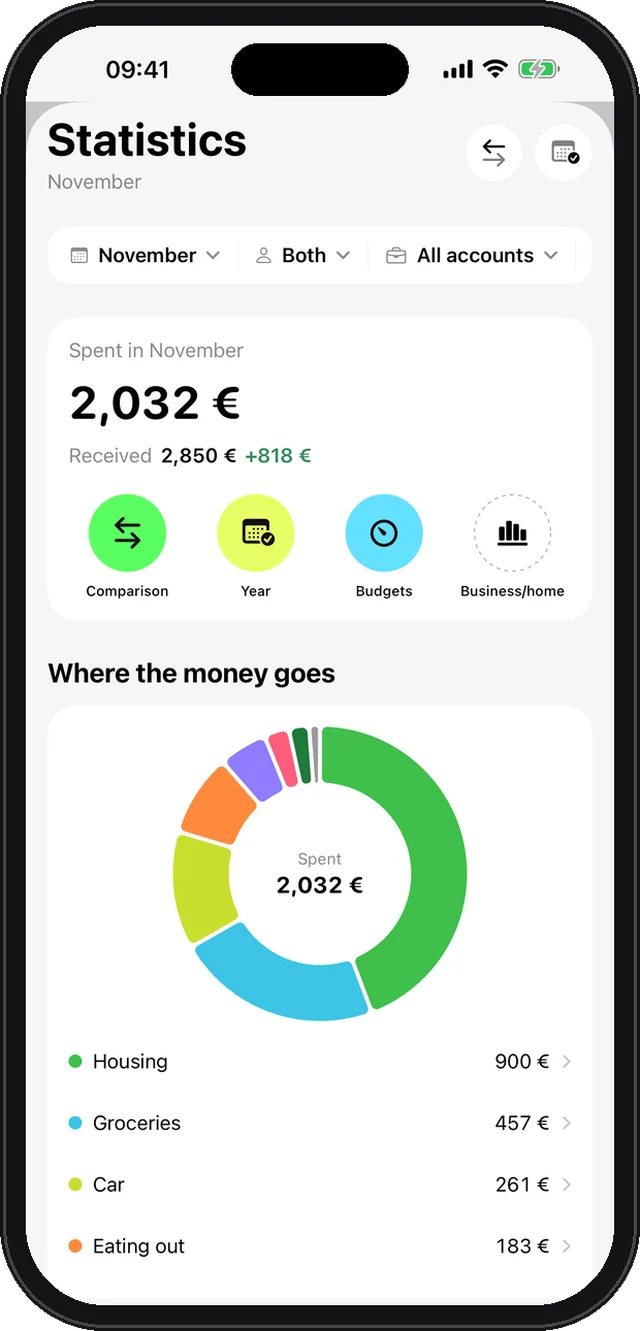
Groceries, bills, eating out, fuel, loans – Noks knows what is what. Assign anything new once and it is remembered.
PDF, XML, Excel or CSV from any bank – personal and business.
How much you can spend per day until the next salary.
Put your [email protected] into online banking. Mail is locked with a key that exists only on your phone.
Everyone imports on their own phone; Noks shows the whole family’s money on each one, via your iCloud.
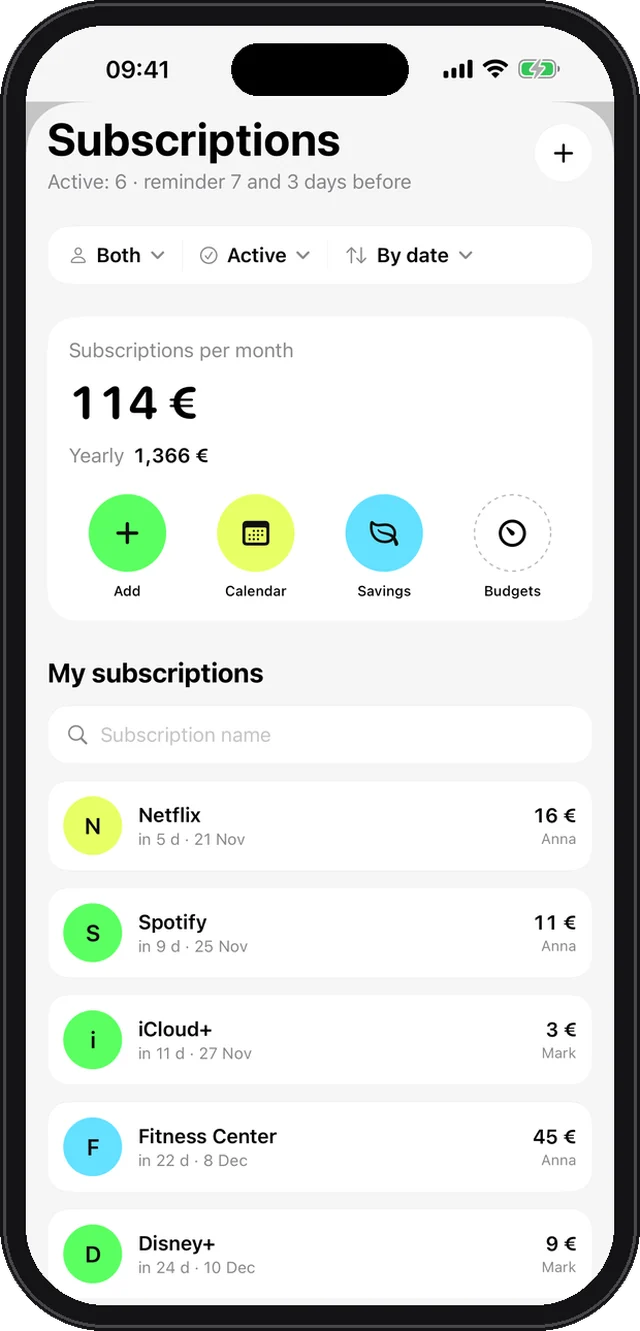
Netflix, Spotify, phone, power – found in statements, with a reminder 7 and 3 days before each charge.
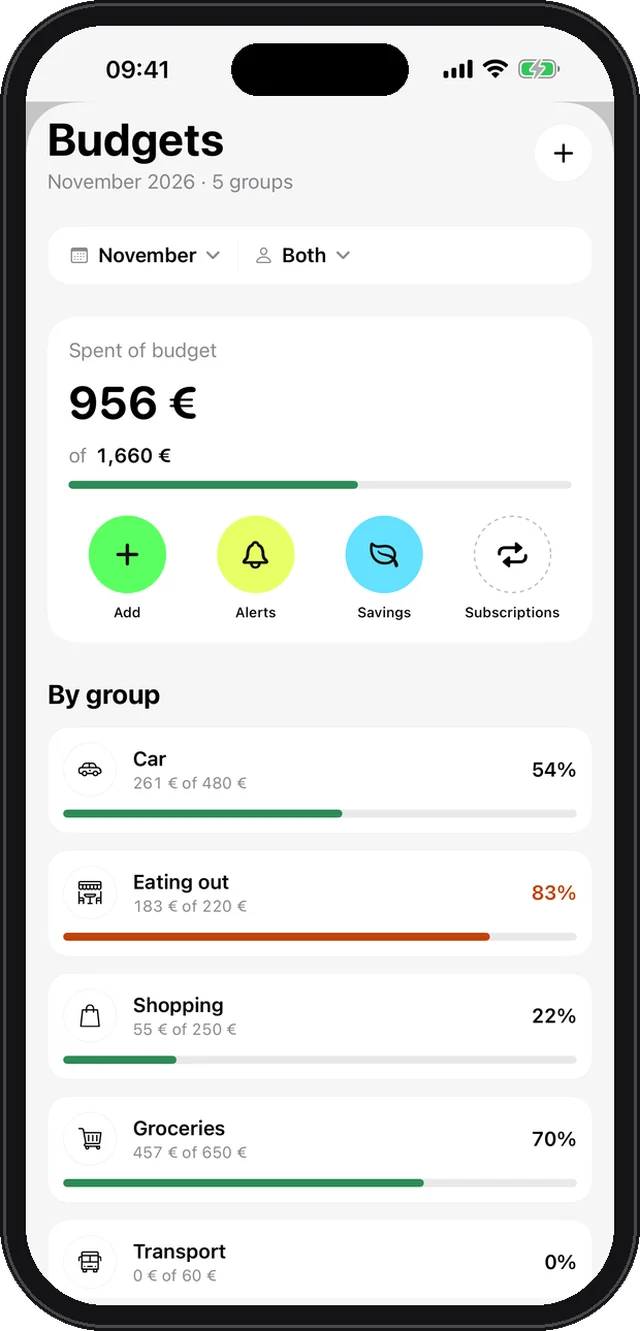
Monthly limit per category; alerts for double charges, price rises and unusually large expenses.
Money in and out, biggest expense, where you saved and how you compare to last month.
Sole traders: business vs personal, money the company owes you and the yearly turnover limit.
Found in your statements; reminder 7 and 3 days before each charge.
Monthly limit per group, alerts at 80% and 100%.
Double charges, price rises and unusually large expenses.
One card with what matters today: a charge tomorrow, low balance, a new statement.
Sign in with Apple or Google and enter your name as it appears on statements.
Put your Noks address into online banking, or import a PDF, Excel or CSV.
Statistics, budgets and subscriptions fill in on their own.
Statements, transactions and amounts are stored and processed on the device – never on our server.
Mail to your Noks address is encrypted with your phone’s public key and deleted once imported.
The database is encrypted while the phone is locked and stays out of unencrypted computer backups.
Locks the moment you leave the app; amounts hide while the screen is recorded or mirrored.
Pay once in the App Store – no subscription, no ads, no selling of data.
Download on the App StoreNo. Statements, transactions and amounts are stored and processed only on your phone. Mail to your Noks address is encrypted with your phone’s key and deleted once imported.
PDF and XML statements of Banca Intesa, Raiffeisen, UniCredit and Addiko are read automatically; from any other bank import an Excel (.xlsx) or CSV export – columns are recognised automatically.
Pay once in the App Store – no subscription, no ads, no selling of data.
Yes. Invite family members via iCloud: everyone imports on their own phone and Noks shows the whole family’s money on each one. Data goes only to your family’s iCloud.
Noks is for iPhone today. Android is planned.
English, Spanish, French, German and Serbian. Currency follows your country: euro, dollar or dinar.
In the app: Profile → Settings → Delete account and all data. Your Noks address and all mail on it are deleted too.